Once your Agency Configuration setup is complete, you can begin onboarding clients into the Frisco system. It's crucial to ensure that the initial configuration is finalized before attempting to add any clients.
Frisco offers two convenient methods for adding clients: Single Client Addition for individual entries and Batch Client Upload for adding multiple clients simultaneously. This guide will walk you through both processes.
Single Client Addition
This method is ideal for adding clients one at a time as they onboard with your agency.
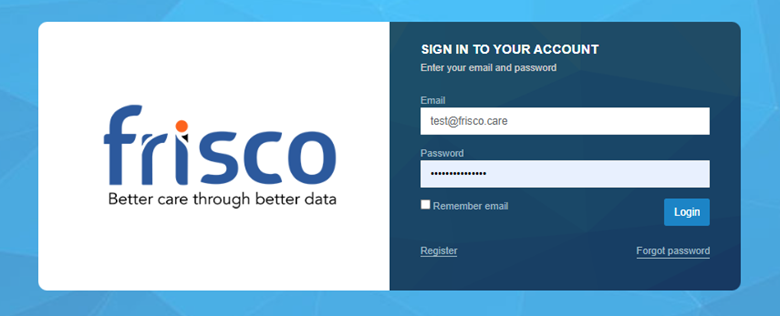
- Navigate to the Dashboard: Log in to your Frisco account.
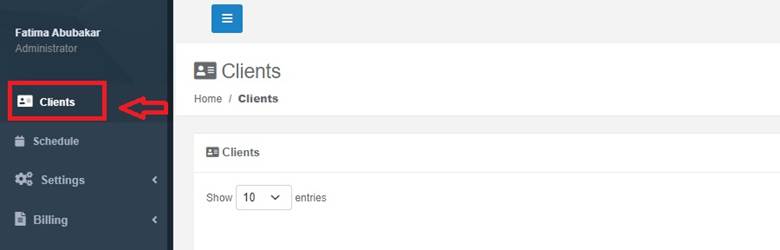
- Access the Clients Page: From the schedule page, Click on "Clients" in the left-hand menu/sidebar to go to the clients page.
- Locate "Add Client": On the Clients page, you will find an "Add Client" button. Click this button to initiate the process.

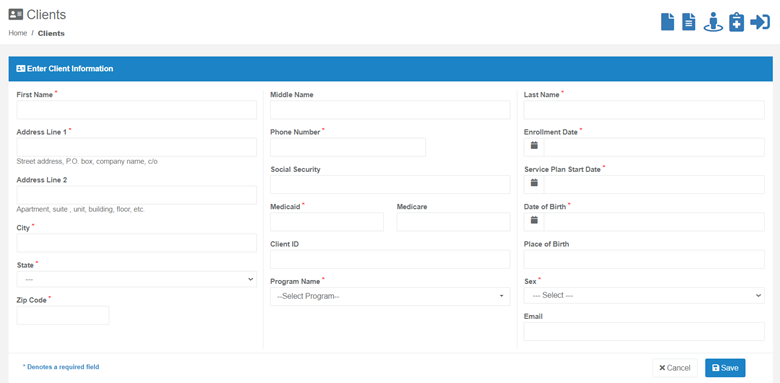
- Enter Client Information: A form will appear, prompting you to enter the client's basic information. Fill in the required fields.
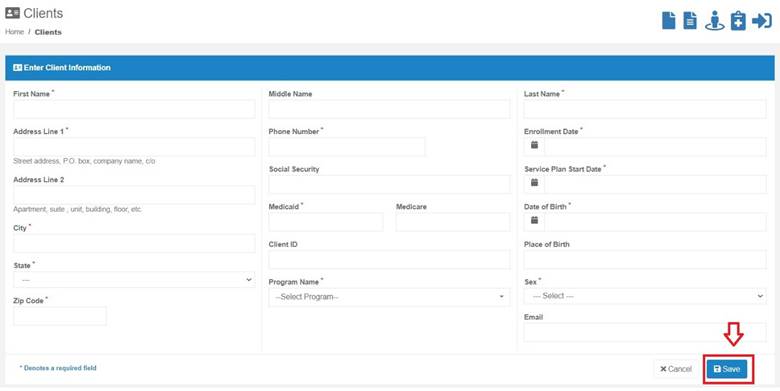
- Save Client: Once all necessary information is entered, save the client's profile.
This straightforward process allows for the immediate addition of individual clients, capturing their essential details during the entry.
Batch Client Upload
For agencies needing to add a large number of clients at once, the Batch Client Upload feature provides an efficient solution.
- Obtain the Client Info Excel Template: Frisco will provide your agency with a standardized Excel template. This template outlines the specific format and fields required for a successful upload.
- Populate the Template: Your agency will need to fill in the required basic client details in the provided Excel sheet. This typically includes:
- Bio information
- Diagnosis
- Address
- Enrollment Start Date
- Other fields as specified in the template
- Submit the Completed Template: Once all client information has been accurately entered into the Excel sheet, share the completed file back with Frisco.
- Backend Processing: Frisco will then process the data from the Excel sheet through its backend system. This action uploads both the clients and any associated users into the Frisco platform.
Important Considerations for Both Methods
It's important to understand that both the Single Client Addition and Batch Client Upload methods are designed to capture basic client information initially.
Following the successful addition of clients to the system, further actions will be required on an individual client basis. These include:
- Assigning Supporting Staff: This involves linking Providers, Program Managers, and other relevant staff members to the client's profile.
- Adding Guardians: Inputting information for legal guardians or emergency contacts.
- Adding Authorizations: Documenting service authorizations and other pertinent approvals.
These additional details must be managed by accessing each client's individual profile after they have been successfully added to the Frisco system.
By following these steps, your agency can effectively manage the client onboarding process within Frisco, ensuring accurate data entry and paving the way for comprehensive client management.
Was this article helpful?
That’s Great!
Thank you for your feedback
Sorry! We couldn't be helpful
Thank you for your feedback
Feedback sent
We appreciate your effort and will try to fix the article