This guide will walk you through the process of setting up Personalized Care Plans and Personalized Behavior Care Plans in Frisco. These plans are crucial for designing a structured and tailored approach to client care, allowing you to define goals, outline objectives and actions, and track progress effectively.
Before You Begin:
Ensure that the client's Authorization has been successfully created in Frisco.
Navigating to Care Plan Creation
Frisco provides two main pathways to create care plans:
- To create a new Care Plan Template (for general use across clients):
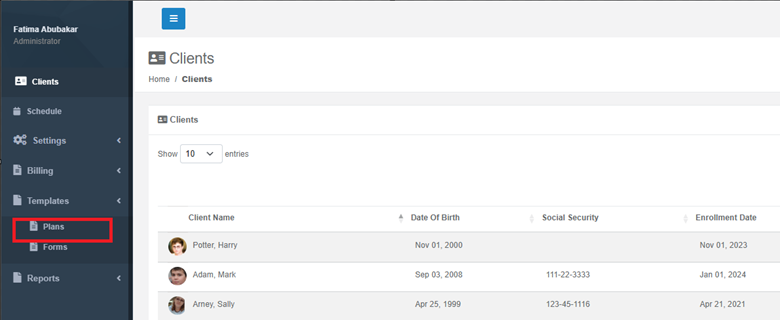
- From the Dashboard section, look on the left-hand side menu.
- Find and click on Templates.
- Under Templates, choose Plan.
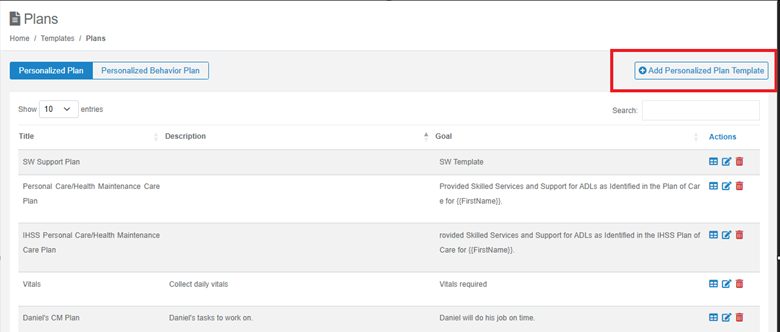
- Here, you can select whether you are adding a Personalized Care Plan or a Personalized Behavior Care Plan.
- To create a specific Care Plan for an existing client:
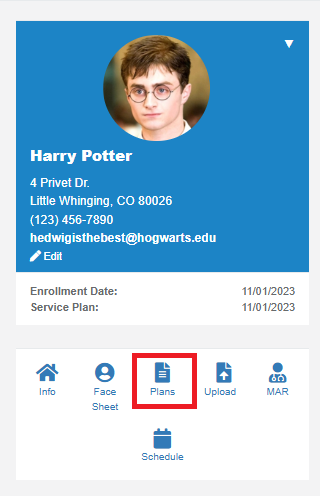
- Go to the Clients section (usually found on the main navigation or dashboard).
- Select the specific client whose profile you wish to access.
- Choose Plan. From here, you can initiate a new plan tailored to that client.
Once you have navigated to the appropriate section, you will be presented with a form to fill out the plan details.
Step-by-Step Guide to Filling Out the Care Plan Form
Section 1: Plan Header Information
- Template Name
- Description: A descriptive name for the care plan template. While not directly visible in the provided image as an editable field, it's often a pre-selected option or a reference for the plan type (e.g., "Personal Care Plan," "Behavioral Intervention Plan for Aggression").
- Description
- Description: Provide a brief overview of the care plan's purpose and scope. This helps anyone reviewing the plan quickly understand its intent. It’s not a required field.

Section 2: Goal Setting
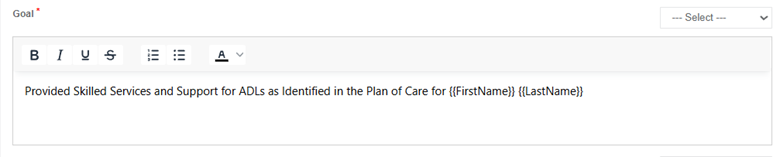
- Goal*
- Description: This is the overarching aim or desired outcome for the client, based on their diagnosis and needs. It should be broad but clearly defined.
- How to Fill: Enter a specific and measurable goal into the text area.
- Note on "— Select —": This is a placeholder (First Name, Last Name…) indicating where the goal input field is located. You will directly type your goal into the text box provided.
Section 3: Baseline and Effectiveness Criteria
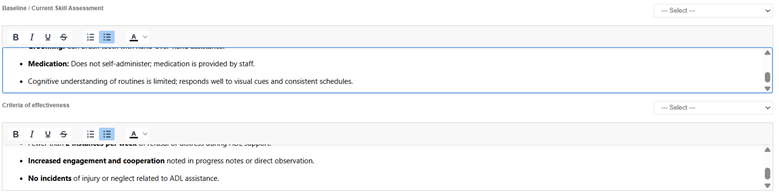
- Baseline / Current Skill Assessment
- Description: Document the client's current status or skill level related to the goal before the intervention begins. This provides a starting point for measuring progress.
- Criteria of Effectiveness
- Description: Define the specific benchmarks or conditions that will indicate the care plan is successful in achieving its goal. These should be measurable.
- How to Fill: State what constitutes success. Example: "HbA1c reduced to below 7.0% within 6 months, and client reports 90% medication adherence for 3 consecutive months."
Section 4: Objectives and Actions
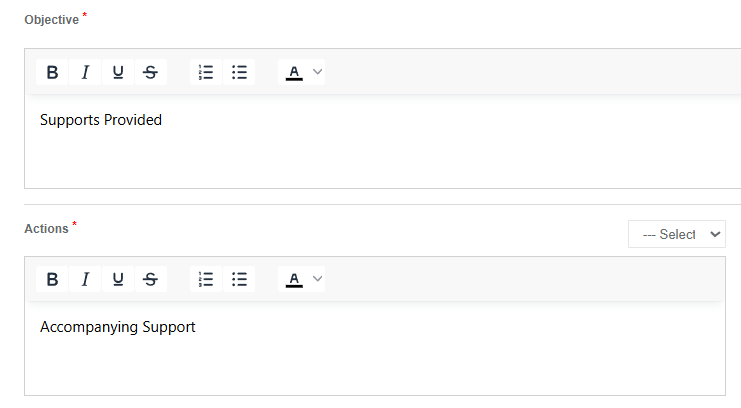
- Objective*
- Description: Objectives are more specific, measurable steps that contribute to the achievement of the overall goal. A single goal may have multiple objectives.
- How to Fill: Clearly state what the client will achieve.
- Actions*
- Description: These are the specific, concrete tasks or interventions that will be carried out to meet each objective.
Section 5: Data Collection and Methodology
- Check any common data collection methods you wish to collect for this section.
- Description: This crucial section allows you to select how the client's progress related to the actions will be tracked and measured. As this will help you once you generate a progress report for each client.
- How to Fill: Tick the checkboxes next to the desired data collection methods
Select all relevant methods:
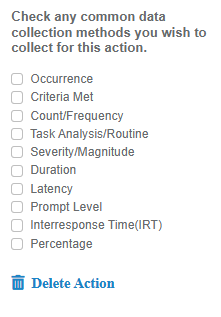
- Occurrence: Tracking if an event or behavior happened (yes/no, presence/absence).
- Duration: Measuring the length of time an event or behavior lasts.
- Distance Met: Recording the physical distance covered or achieved.
- Count/Frequency: Tallying how many times an event or behavior occurs within a given period.
- Severity/Magnitude: Assessing the intensity or impact of an event or behavior (e.g., on a scale of 1-5).
- Intensity: Similar to severity, often referring to the strength or force of something.
- Latency: Measuring the time between a stimulus and the initiation of a response.
- Prompt Level: Documenting the level of assistance needed for the client to complete a task (e.g., verbal, gestural, physical).
- Prompt Response Time (PRT): Measuring the time it takes for a client to respond after a prompt.
- Percentage: Recording progress as a percentage of completion or accuracy.
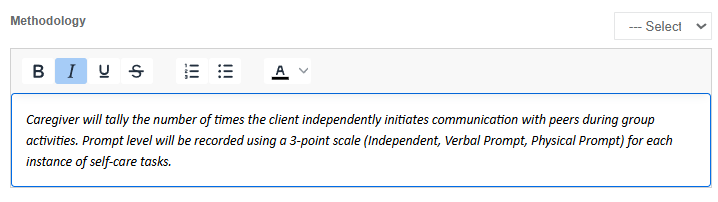
- Methodology
- Description: Describe how the selected data collection methods will be implemented. This provides clear instructions for the care team. This is not a required field.
Example based on "Count/Frequency" and "Prompt Level" data collection:
- Methodology: "Caregiver will tally the number of times the client independently initiates communication with peers during group activities. Prompt level will be recorded using a 3-point scale (Independent, Verbal Prompt, Physical Prompt) for each instance of self-care tasks."
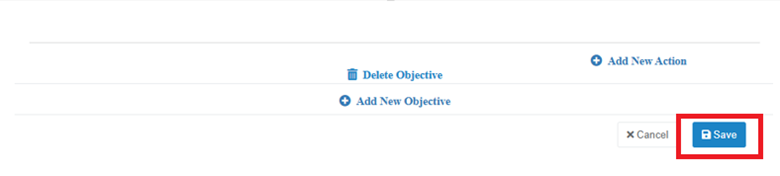
Note: You can add as many objectives and actions as needed.
Once you have filled out the information, click Save.
Was this article helpful?
That’s Great!
Thank you for your feedback
Sorry! We couldn't be helpful
Thank you for your feedback
Feedback sent
We appreciate your effort and will try to fix the article