Client Profile
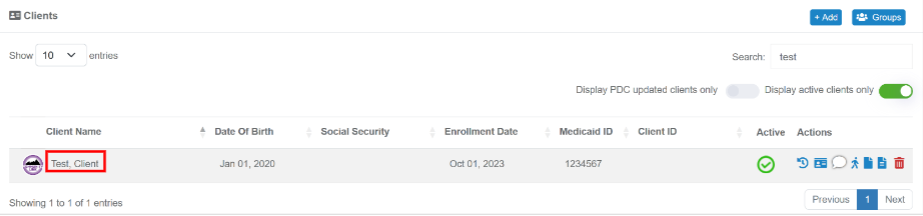
To navigate to a particular client’s profile, select the “Clients” tab from the left hand navigation pane and click on their name and it will open the client profile page.
The client profile page will contain a variety of sections designed to provide useful insights and inform client care. These sections will include general information and characteristics about the client, dietary and allergy restrictions, a brief biography, a list of current medications, and current contact information for those involved in the client’s care. If any of this information needs updated or corrected, please contact your supervisor.
Client Folders
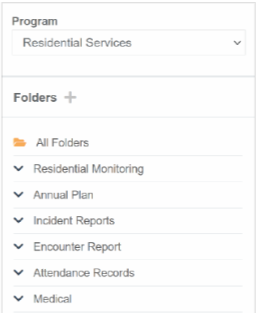
Part of the client profile also includes file storage (as shown here) where your agency will be uploading client records and where you can review and upload a variety of documents. To view a document, select the program you wish to view from the filter at the top and then you can expand the parent folders and open subfolders to access client documents.
Was this article helpful?
That’s Great!
Thank you for your feedback
Sorry! We couldn't be helpful
Thank you for your feedback
Feedback sent
We appreciate your effort and will try to fix the article