User Guide: Adding an Authorization & Inheriting Data From Services
This section walks you through the steps to add a new authorization and inherit relevant data from existing services. By inheriting data, you can save time and ensure consistency, as key service details are automatically carried over into the new authorization.
Follow these steps to add a new authorization to a client profile:
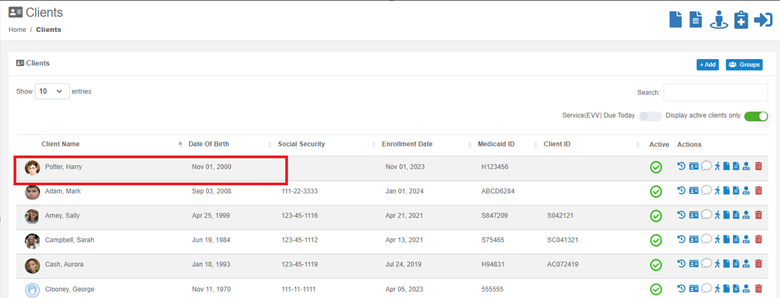
Step 1: Go to the Client’s Profile
- From the Dashboard, open the client’s profile.
Step 2: Access the Authorization Folder
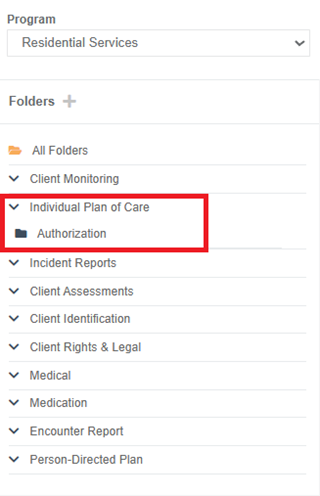
- On the left-side panel of the client’s profile, you’ll see different folders.
- Locate the “AUTHORIZATION” folder.
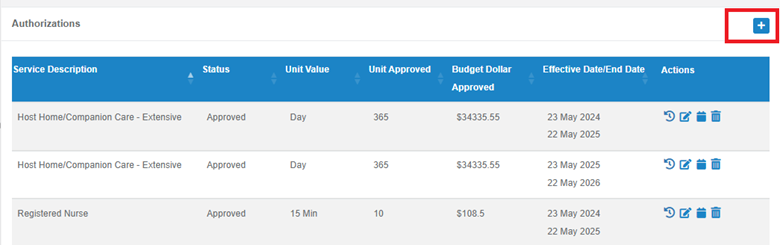
- Click the “+” button to create a new authorization.
Step 3: Fill Out the Required Information
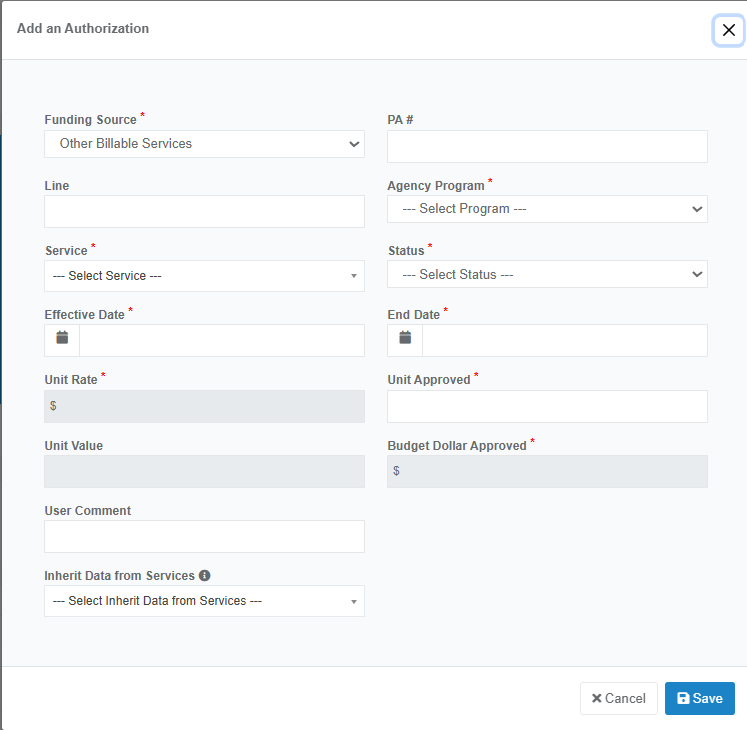
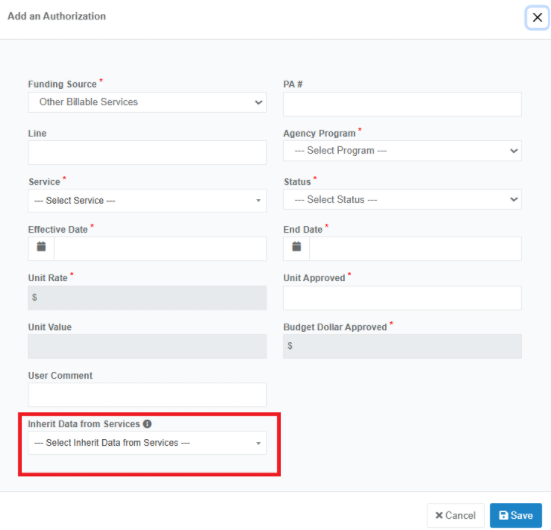
- A form will open where you’ll need to enter key details such as:
- Authorization number
- Start and end dates
- Funding source
- Associated services
- Units, and other necessary information
Step 4: Inherit Data from Services (Optional)
- Scroll down to the bottom section of the form.
- You will see the option “INHERIT DATA FROM SERVICES”.
Note: This applies only if there is a previous authorization for the same service and you want to copy over the plan and/or schedule.
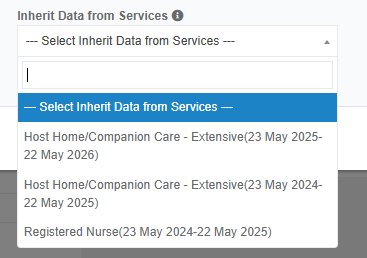
- Click the dropdown to select the old authorization you want to inherit data from.
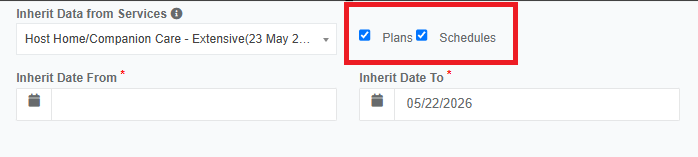
- Check the box for:
- Plan – if you want to copy the service plan
- Schedule – if you want to copy the session schedule
- You can check both, or just one.
- You also have the option to select a specific date range from which to copy the data.
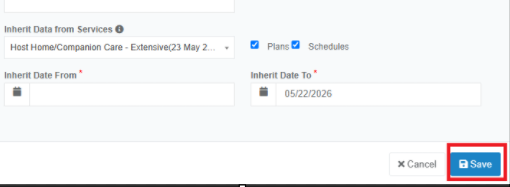
Step 5: Save the Authorization
- Once everything is completed, click “Save” to add the new authorization to the client’s profile.
The process of inheriting plans and schedules only applies if there is an existing (old) authorization. If it's a new authorization, you will need to create a new plan and schedule for it.
Was this article helpful?
That’s Great!
Thank you for your feedback
Sorry! We couldn't be helpful
Thank you for your feedback
Feedback sent
We appreciate your effort and will try to fix the article