
? User Guide: How to Update a Service Rate
Follow the steps below to update a rate in Frisco 2.0:
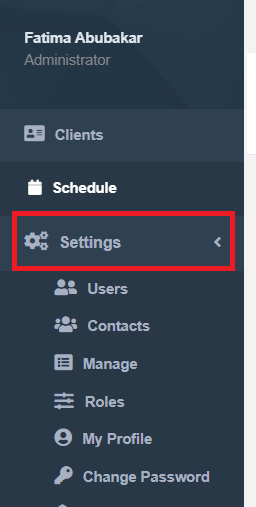
Step 1: Go to Settings
- On the left-hand corner, click Settings.
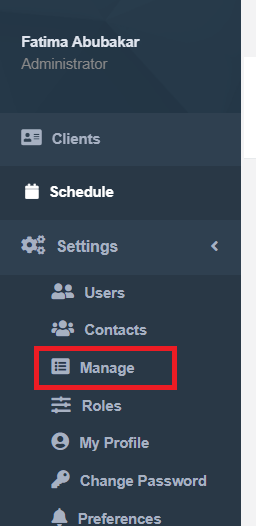
Step 2: Manage Services
- Click Manage.
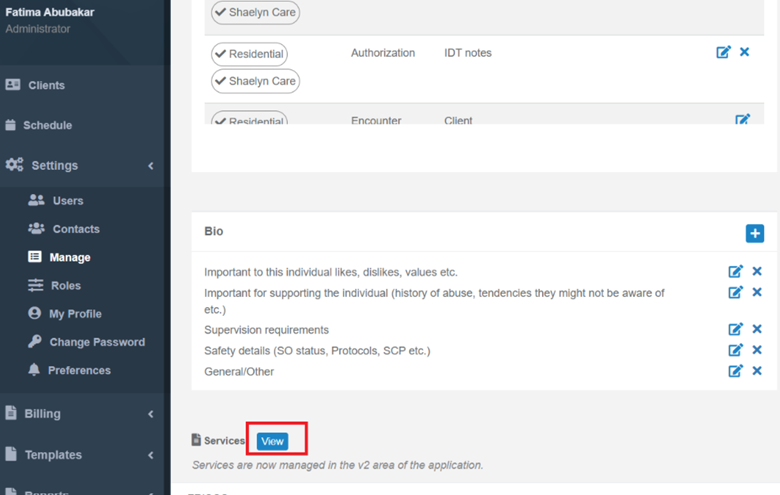
- Scroll to the bottom and find Services.
- Click View.
Step 3: Find Your Service
- You will be routed to Frisco 2.0, where you’ll see the full list of services.
- Use the search bar to find the specific service you want to update.
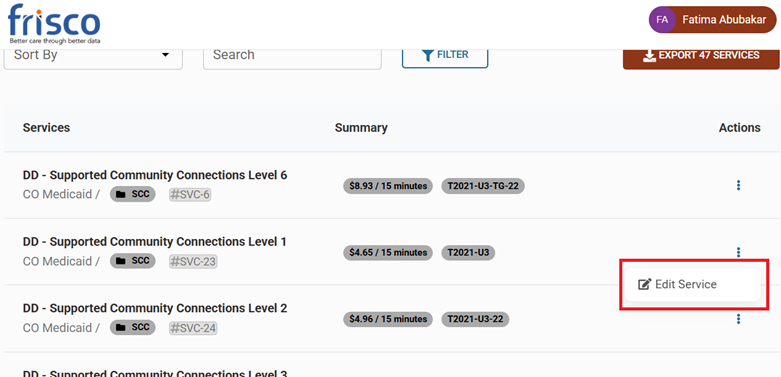
Step 4: Edit the Service
- Click the Edit (pencil) icon next to the service
Step 5: Update the Rate
- Inside the service information, scroll to the bottom.
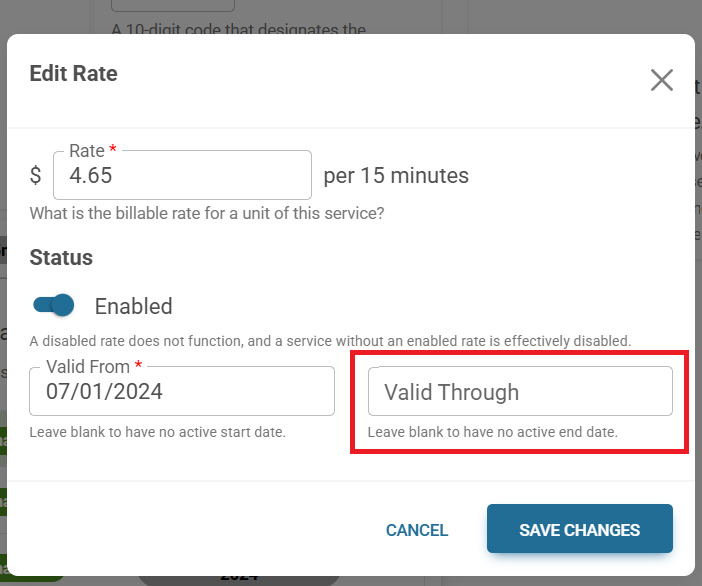
- Add the new rate and set the Valid Through Date.
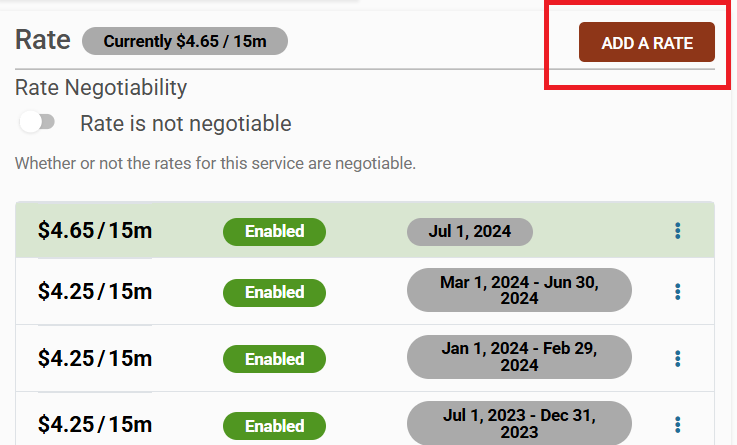
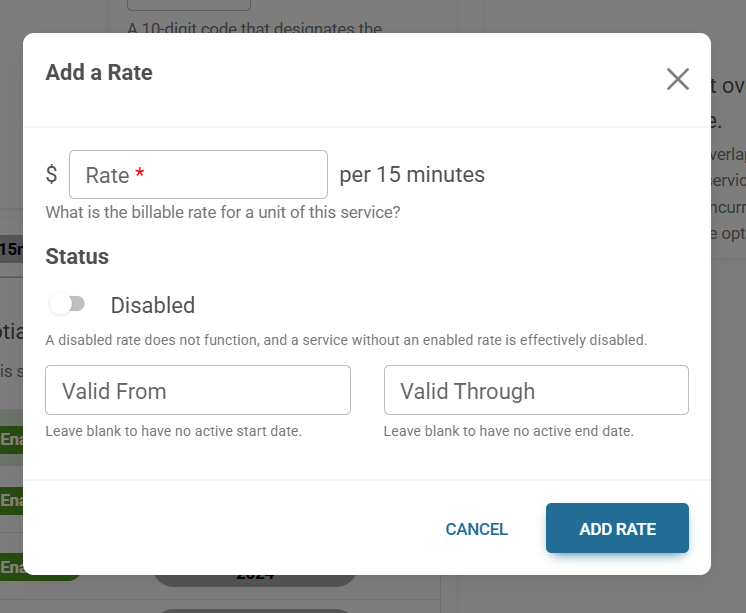
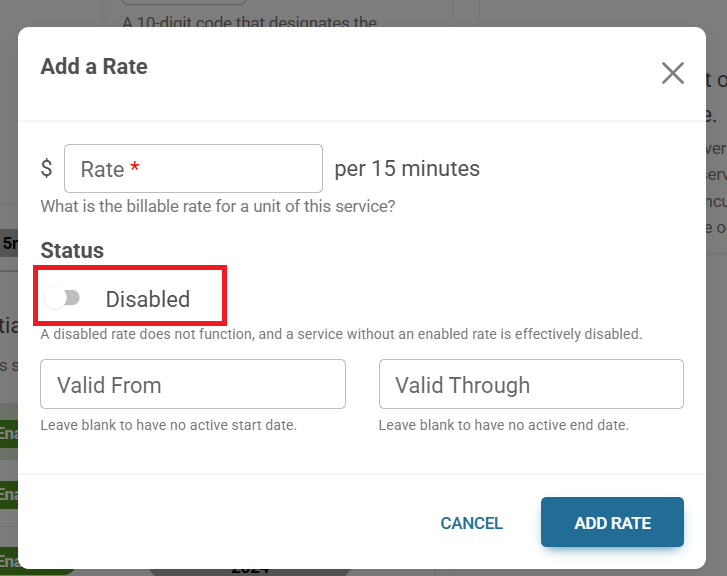
- Toggle ON the Enable button.
Step 6: Save Your Changes
- Click Add Rate to apply the new rate.
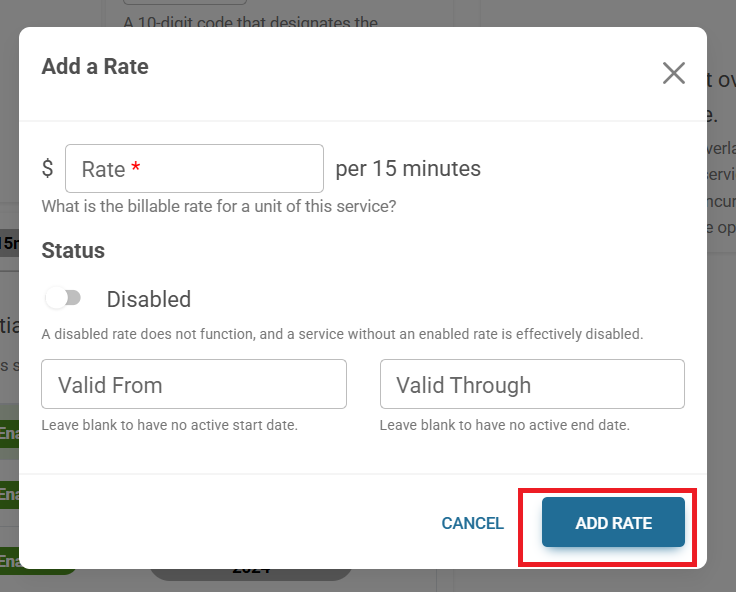
✅ Your service rate is now updated successfully!
Make sure to add the Valid through date for the previous rate so the new rate will take effect.
Was this article helpful?
That’s Great!
Thank you for your feedback
Sorry! We couldn't be helpful
Thank you for your feedback
Feedback sent
We appreciate your effort and will try to fix the article